Terminal
Talking to your assistant directly, and when that is the right way in.
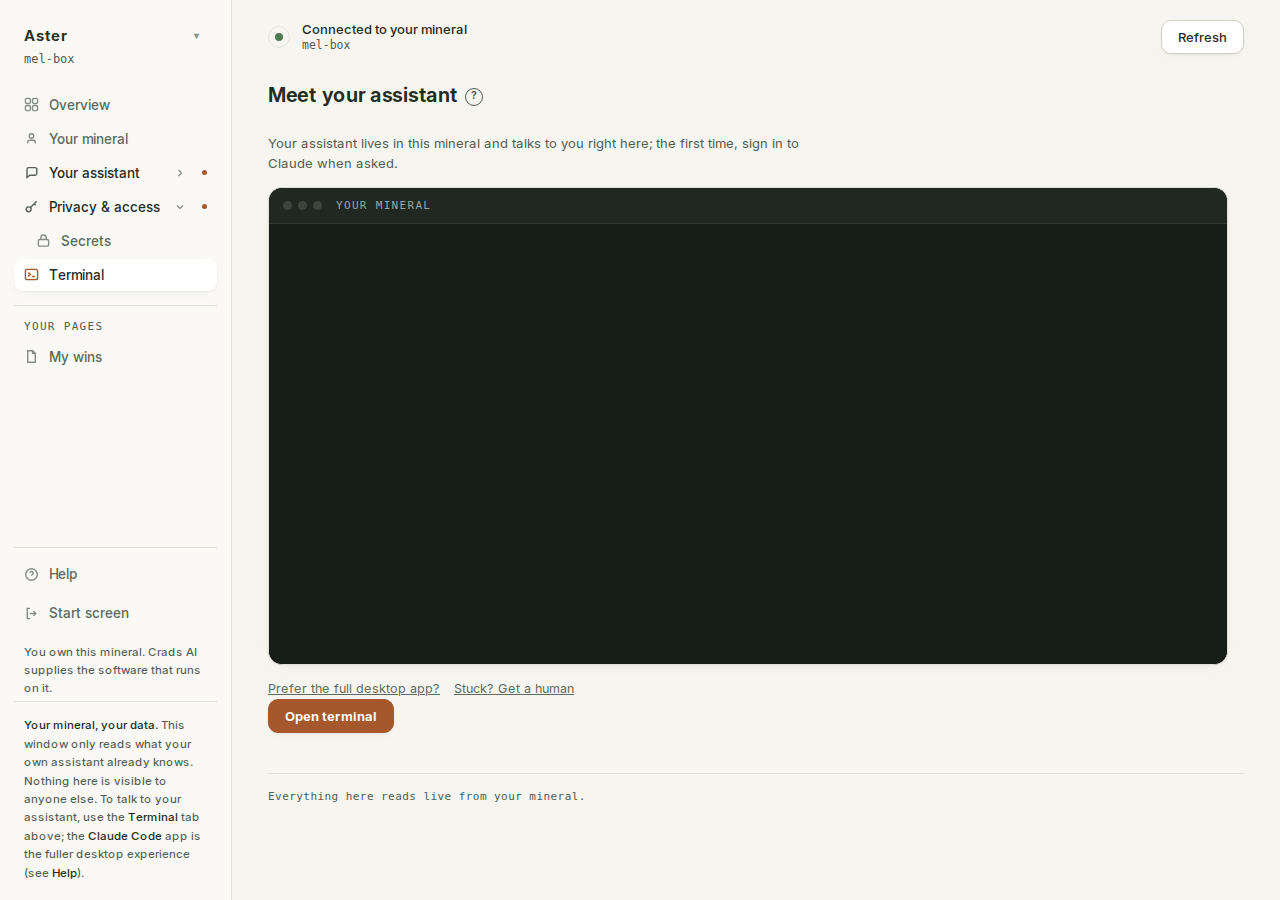
Meet your assistant.
A conversation with the thing that knows your world. Everything else in the app is a view onto your mineral; this is the mineral answering. In the app the tab is headed "Meet your assistant", which is the more honest name for what happens here.
What it is for#
Two things, and one job it does once. The job: the first sign-in to Claude, which is the mineral's own credential and the step everything else waits on. After that: asking it something quick that it could reasonably know from your brain, your mail or your calendar, and running a skill by name (/daily produces the brief now rather than waiting for its schedule). The interview, and the everyday conversation, happen in Claude Code on your mineral; this tab is the short way in when you are already in the app. It is still a place to tell it things: when the brief keeps choosing the wrong priorities, the fix is almost never the schedule, it is what your brain does not yet say.
How to shape an ask that matters is the CRIT method; why telling it things matters more than any schedule is grow the brain.
The commands#
Every engine skill is a command here, the same set the Skills page lists in full before you type anything. The everyday ones:
/capture: the end-of-session sweep. What should have been written down but was not, proposed to you, then written./connect: connect an outside service so this mineral can use it, scheduled jobs included./daily: the morning brief. Today's tasks and calendar, the top three, what is at risk./dashboard: Build pages & cards. Your own app pages and dashboard cards, built by asking./explain: explains this system from a live look at your own mineral. Reads everything, changes nothing./followup: open loops. Overdue tasks, unanswered messages, what is slipping before it becomes a problem./inbox: triage of unread mail into reply, read, and archive buckets./onboard: resumes the interview if you are mid-way and happen to be here; start it in Claude Code./plan-week: sets this week's three to five outcomes, the surface the daily brief reads all week./weekly: the week reviewed. The log, project health, next week's focus.
/write-page is here too: it builds you a page of your own, which lands in the sidebar. The generated skills reference is the authoritative list.
Opening and closing a session#
The terminal starts closed. Open terminal becomes "Opening...", the frame shows "Starting your session...", and when the line is up the button gives way to a green "Terminal is open" chip with a quiet Close terminal beside it. An open terminal is a state, not something you can click again.
Closing writes "[session closed]" into the frame (typing exit works too, and writes "[session ended]"), and the button comes back as Open a new terminal, which is exactly what it says: sessions do not resume. If the line drops rather than closes, the frame says "[connection lost]", and the same rule applies. There is no reconnect; a new Open is a new session, and reloading the app abandons whatever was running in the old one.
If a session cannot open at all, the page says so in its own voice: "Could not open the line to your mineral. That's on us, not you. Try the desktop app (link below), or Get a human and we'll sort it." And if the terminal component itself failed to load, the advice is simply to reopen the app and try again.
The session does keep running while you browse the rest of the app. Switching to Brain or Skills and back does not touch it: the chip stays green and the conversation is where you left it.
Signing in to Claude here#
The first time you use the terminal, claude asks for a sign-in. This is the mineral's OWN credential, and it matters well beyond this tab: it is the same sign-in the schedule gate and the Overview ladder wait on, because scheduled jobs run with nobody at the keyboard and need the mineral to be signed in for itself. Signing in the desktop app on your laptop does not do this; see Claude Code on your mineral for the difference.
The app knows this is the one step everything else waits on, so every gated control elsewhere, the ladder's Open Terminal button included, lands you on this tab with claude already typed. Nothing to read, nothing to work out.
Arriving with something already typed#
You will sometimes land here with the conversation already started. The Overview's meet-your-assistant button opens this terminal and runs a scripted introduction for you, so your assistant speaks first and takes it from there. Same terminal, same session rules; the only difference is who typed the first line.
The two links under the frame#
Two small links sit under the terminal. "Prefer the full desktop app?" opens the Help page, which is the guide to connecting Claude Code on your laptop for long sessions. "Stuck? Get a human" goes to the Sharing page and puts you in front of support access: the consent switch that lets a helper you trust in for a limited time, which is what a human needs before they can help.
When to use something else#
For the interview and for real work, use Claude Code. A chat window in a sidebar is the wrong shape for an hour of conversation or for editing several files: Claude Code on your mineral.
For anything on a schedule, use Skills. A thing you ask for every morning is a thing that should arrive every morning.
What it is#
A real terminal, onto your own mineral. If you type ls you will get a listing, because this is your machine and nothing about the transport pretends otherwise. The reason it does not feel like a shell is that the thing waiting on the other end is your assistant, and the restraint is the assistant's, not the wiring's: it will decline things that are not its to do.
Nothing here is hidden from you afterwards: what your assistant does on your behalf lands in your brain and its run history, which is the point of a mineral that keeps its own records.